Welcome to Vifm Q&A, where you can ask questions about using Vifm. Registration is optional, anonymous posts are moderated. E-mail and GitHub logins are enabled.
0 votes
in vifm by

for preview some pictures like:
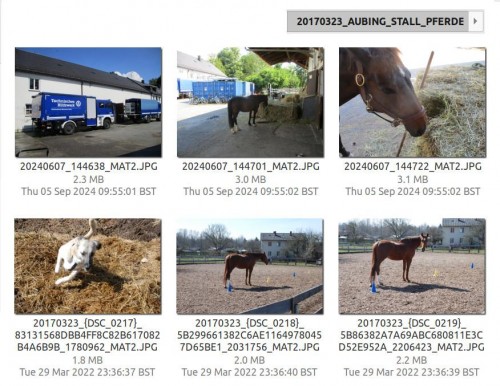
In VIFM, after moving at the right place where the pictures are, I use the VIFM shortcut yd to yank the full path of the directory - then I open a linux terminal with s and type:

$ nemo /path/of/the/directory

the mapping of the shortcut yd is in the VIFMRC file
.................................................................................................
>" Yank current DIRECTORY PATH into linux clipboards
nnoremap yd :!echo -n %d | xsel --input --primary %i && echo -n %d | xsel --clipboard --input %i

Is there a better way to do this ?

please correct me if I'm using the wrong semantics in the above description

thx

1 Answer

0 votes
by

What you're doing sounds very inconvenient, just start nemo in current directory:

:!nemo . # can use %d instead to be explicit
" or add a command for that
command! nemo nemo .

If nemo doesn't detach from the terminal, add %i and it will be run in background.

by

waouh,

:!nemo %d

works very well, amazing. Thank you

by

for info:

command! nemo :nemo %d %i

gives an error: loop in commands

the same command without colon is working perfectly

command! nemo nemo %d %i
by

gives an error: loop in commands

That's expected. Adding : results in execution of Vifm's command-line commands, without it external shell command is run.

If you would like to make a bug report or feature request consider using GitHub, SourceForge or e-mail. Posting such things here is acceptable, but this is not a perfect place for them.
...