Here's and example a some iterations (gathered and tweaked many times)...
 command! FZFlocate : set noquickview
    \| let $FZF_PICK = term('locate $HOME | fzf --height 10 2>/dev/tty')
    \| if $FZF_PICK != ''
    \|     execute 'goto' fnameescape($FZF_PICK)
    \| endif

command! FZFfind : set noquickview
    \| let $FZF_PICK = term('find | fzf --height 10 2>/dev/tty')
    \| if $FZF_PICK != ''
    \|     execute 'goto' fnameescape($FZF_PICK)
    \| endif

command! fzff : set noquickview
    \| let $FZF_PICK = system("fd --hidden -t f | fzf --height 10 2>/dev/tty")
    \| if $FZF_PICK != ''
    \|      execute system('[ -f "$FZF_PICK" ] && echo goto') fnameescape($FZF_PICK)
    \| endif
    \| redraw

command! fzffix : set noquickview
    \| let $FZF_PICK = system("fd --hidden -t f | fzf --height 10 2>/dev/tty")
    \| if $FZF_PICK != ''
    \|      execute 'goto' fnameescape($FZF_PICK)
    \| endif
    \| redraw
In the 3rd one I get an "Invalid Command Name" after file selection in FZF (like in the 3rd line that I don't understand), but in all others in get a message just like (minus possible variations I didn't notice) just like the picture below...
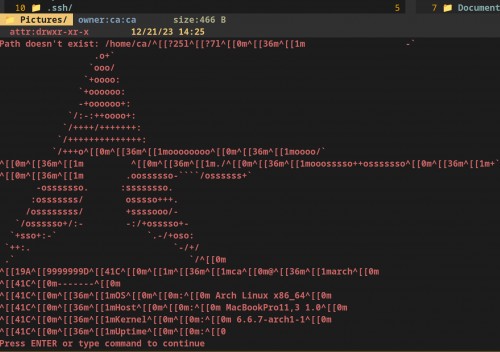
I have now invested so much time on this that I'm embarrassed to admit it.
My goal is to simply fuzzy search ideally like in the little drop frame of the expanded command line in Vifm (rather than the terminal) and select the file in FZF. Then, hit enter and the frame to disappear and Vifm to auto-navigate to the directory or file selected and for that item to be actively highlighted.
My secondary goal would to be to create an alternate command that does the same thing but also if it is a file, to open the file in the default application for that file type.
Any ideas?