Welcome to Vifm Q&A, where you can ask questions about using Vifm. Registration is optional, anonymous posts are moderated. E-mail and GitHub logins are enabled.
0 votes
ago in vifm by

Let’s assume that the custom view contains only JPG files. How to export a list of the full paths of the JPG files it contains, to open it them later with SXIV or FEH?

Guess it is not possible to use the image viewer directly from there

1 Answer

0 votes
ago by

To save

:%!cat > file %Pl

To view

:%!sxiv - %Pl

or

:%!sxiv %f

See

%Pl, %f

ago by

share some commands:

command! exportFullPathSelectionWithArgument cat > %a %Pl

command! exportFullPathAllWithArgument :select * | exportFullPathSelectionWithArgument %a

command! exportFullPathSelection cat > export_full_path.txt %Pl

command! exportFullPathAll :select * | exportFullPathSelection %Pl

working in custom view as well in normal view

example in VIFM command-line:

:exportFullPathAllWithArgument file_name_of_your_choice.txt

or

:exportFullPathAll

will give from
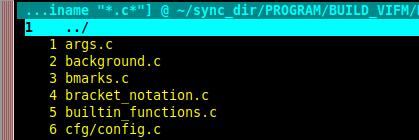
this list

to see jpg and png pictures in custom view and normal view you can use

not recursive

%!sxiv - %Pl

or recursive

:%!sxiv %f

Thank you and greetings from Munich, Oktoberfest 2026

If you would like to make a bug report or feature request consider using GitHub, SourceForge or e-mail. Posting such things here is acceptable, but this is not a perfect place for them.
...